A Roadmap to Mastering Claude
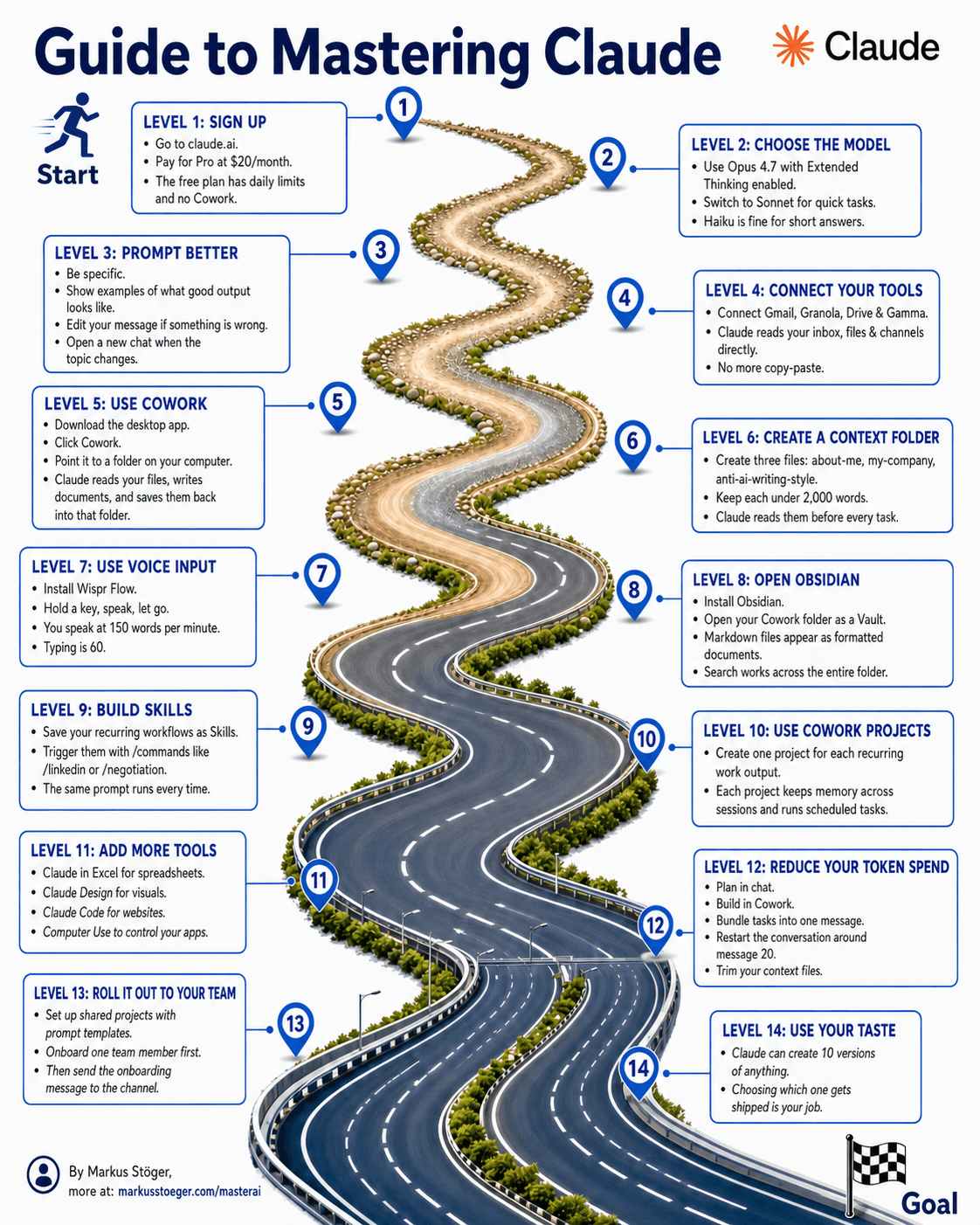
If you really want to master Claude, it helps to think of the journey as stages. Here are the 14 levels, from your first login to the point where Claude is a reliable part of your workday.
LEVEL 1: SIGN UP
Head to claude.ai and get started. For serious work, Pro at $20/month is worth it; without it you'll hit limits and break your flow.
LEVEL 2: PICK THE MODEL
- Opus 4.7 with Extended Thinking for complex tasks
- Sonnet for fast, everyday answers
- Haiku for short things
The right model for the right task saves time and tokens.
LEVEL 3: PROMPT BETTER
- Be specific
- Give examples
- Edit messages instead of correcting them
- Start a new chat as soon as the topic shifts
The cleaner the context, the better the answer.
LEVEL 4: CONNECT YOUR TOOLS
Connect Claude to the tools you use every day anyway: Gmail, Granola, Drive, Gamma. Suddenly Claude can pull from your mail, notes and documents directly.
LEVEL 5: USE COWORK
Install the desktop app and set up the Cowork folder. Claude can now read, write and edit files in a defined folder directly.
LEVEL 6: BUILD A CONTEXT FOLDER
Create a folder with files like:
about-me.mdmy-company.mdanti-ai-writing-style.md
Keep each file under 2000 words. Now Claude knows you without you having to explain every time.
LEVEL 7: USE VOICE INPUT
Tools like Wispr Flow get you to around 150 words per minute; typing sits around 60. Speaking is faster than writing, and for long briefings it makes a huge difference.
LEVEL 8: OPEN OBSIDIAN
Point your Obsidian vault at the Cowork folder. Now you have a searchable, linked knowledge base that Claude can work in directly.
LEVEL 9: BUILD SKILLS
Build reusable skills like /linkedin or /negotiation. Define them once, then trigger with a single command.
LEVEL 10: USE COWORK PROJECTS
One project per recurring deliverable, with persistent memory. Claude remembers style, context and preferences across sessions.
LEVEL 11: ADD MORE TOOLS
- Claude in Excel
- Claude Design
- Claude Code
- Computer Use
Each of these opens up a new workflow. If you code, Claude Code is non-negotiable.
LEVEL 12: REDUCE TOKEN SPEND
- Plan in chat, build in Cowork
- Restart at message 20
- Keep your context files lean
Long chats get expensive and slow. Discipline with context pays off.
LEVEL 13: ROLL OUT TO YOUR TEAM
Shared projects with prompt templates. Onboard one person at a time, not the whole team at once.
LEVEL 14: USE YOUR TASTE
Let Claude generate 10 versions. Choosing is your job. Curation is becoming the most important skill, and it's exactly where good work separates from generic AI output.
This isn't theory. Every one of these levels has made a noticeable difference in my own work. Start at the top and work your way through. You don't need all 14 at once.
From the author
These tutorials come out of the work itself, not out of research: I put AI to work in real companies and write down what holds up. If you want to know which of your processes are worth it, I offer AI consulting for small and mid-sized companies. If you already know what to build, I handle the AI integration into your systems.
Built with AI – the newsletter
Hands-on AI tutorials and the tools I actually use, straight to your inbox. Free, no hype.
Powered by Substack. Unsubscribe anytime.