Claude Design Hands-on: Building a Multi-Page Website
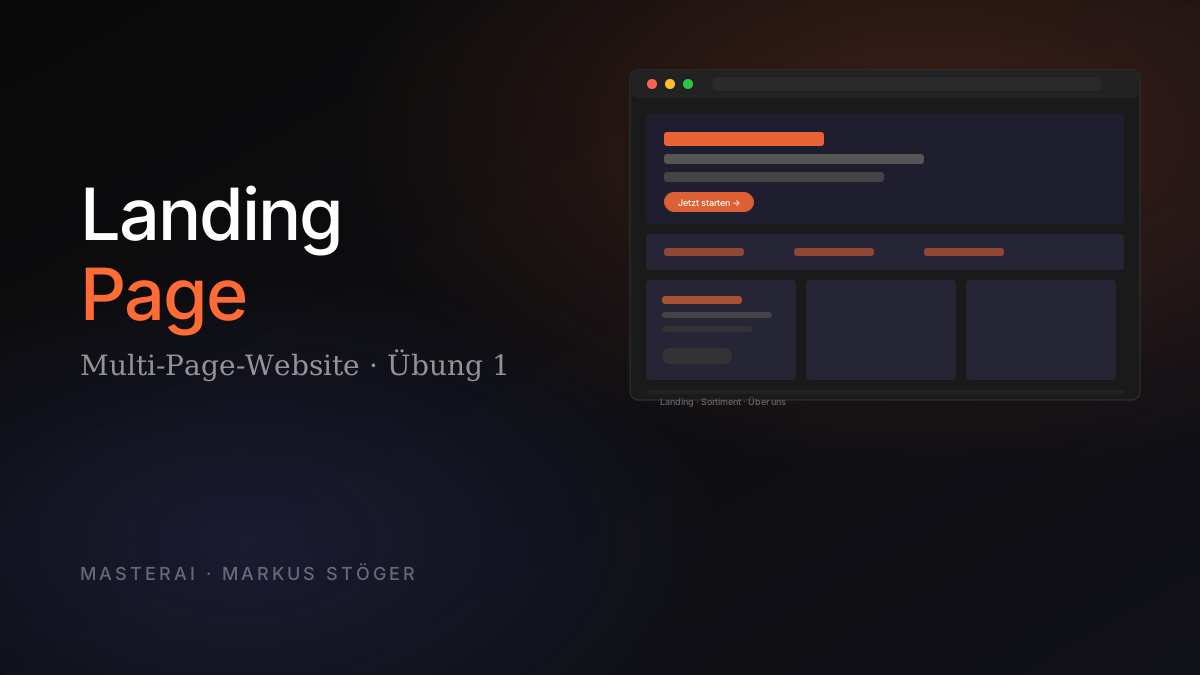
A clickable multi-page website in Claude Design: from skill selection through the four-point prompt to the Claude Code hand-off. This exercise covers the complete website workflow.
Recommendation: Read the complete Claude Design overview first. It covers the fundamentals of the Skills system, input methods and design system concepts assumed here.
First decision: Do you have a Design System?
- Yes → Claude automatically uses your colors, typography and components. Jump to Step 1.
- No → Two options: Set up a system first (recommended, Exercise 3), or use the "Frontend design" skill (that's the path described here).
Without a design system, Claude outputs look similar: solid but generic. The system is the single biggest quality lever in the entire tool.
Difficulty: Beginner · Time: 30–40 min · Result: A complete website with landing page + 2–3 subpages, optionally in multiple design variants
Step 1: Choose skills
Under "Skills and design systems" you'll find three categories:
Right combination for a multi-page website:
| Category | Skill | Why | |----------|-------|-----| | Output-Type | Interactive prototype | Clickable navigation, real forms | | Behavior | Frontend design | Aesthetic direction without a brand system | | Export-Format | Save as standalone HTML | Download website as offline-ready file | | Optional | Make tweakable | Live sliders for visual adjustments |
Important: Activate export skills before generating. Claude builds the design with the right constraints from the start, e.g. no CSS glassmorphism that would break in HTML export.
Step 2: Combine input methods
Claude Design accepts five sources, and you can combine them:
| Method | When to use | |--------|-------------| | Text prompt | Always the base | | Upload a document | DOCX, PPTX, XLSX, e.g. existing brief as style reference | | Upload an image | Sketches (even hand-drawn), screenshots, logos, competitor sites | | Link a codebase | GitHub repo or local folder with existing components | | Web capture | URL of a live site; Claude grabs layout and elements directly |
Drag attachments into the chat box before the text prompt. Claude incorporates all attachments into the first generation automatically.
Step 3: The four-point prompt
Anthropic recommends this structure:
| Element | Question | |---------|----------| | Goal | What is being built and why? | | Layout | Which sections/pages? | | Content | What information should appear? | | Audience | Who will use the result? |
Full example (Brew & Brand Coffee, a specialty coffee roastery):
Build a website for Brew & Brand Coffee — a specialty coffee
roastery offering weekly bean subscriptions for cafés, restaurants
and hotels.

Goal: Customer acquisition site targeting hospitality buyers.

Layout: Landing page + 2 subpages (Selection, About).
Landing: Hero, 3 USPs, coffee grid, subscription steps,
origin/direct-trade section, testimonials, FAQ, footer.

Content: Weekly delivery of freshly roasted beans, 4 standard varieties
plus rotating single origins, free nationwide shipping,
flexible quantities (2–80 kg/week).

Audience: Café owners and restaurant operators, age 30–55.
Primary language: English.

Tone references: workhorseroasters.com (calm, craft), oatly.com
(typographic). Decide which fits better, or surprise me.

Mobile responsive. Generate 2 distinct visual variants.
Step 4: Use the Clarifying Questions flow
Claude Design asks targeted follow-up questions when there's room for interpretation:
- "Rustic/handcrafted or modern/minimal?"
- "How many design variants: 1, 2, or 3+?"
- "Pricing: show concrete numbers, 'on request', or hide entirely?"
- "Product imagery: realistic placeholders or abstract textures?"
Strategy:
- For aesthetic questions (style, colors, typography): "Decide for me" is often the best answer. Claude does actual concept work instead of narrowing to a preset corridor.
- For content questions (which sections, pricing logic): answer yourself. It's your content.
- 2 variants is almost always the sweet spot: enough to compare, not so many you get lost.
Step 5: Review and refine
Multi-page outputs with 2 variants take 3–10 minutes. Afterward you have four refinement modes:
| Mode | How | Best for | |------|-----|---------| | Chat | Normal messages | Larger structural changes | | Inline comments | Right-click on element | Targeted component edits | | Direct edit | Click directly in canvas | Text edits, color fixes | | Custom sliders | Tweakable controls | Live variation with sliders |
Good chat prompts:
"Make the color scheme darker and more restrained."

"Rearrange the hero: headline at top, USP strip directly below."

"Apply a sticky header with subtle shadow on scroll to all pages."

"Show me 2 alternative layouts for the hero section."
Inline comments:
[Right-click on button]
"Increase padding — 16px vertical, 32px horizontal."
Bug: Inline comments are sometimes ignored. Copy the comment text into the regular chat; that always works.
Request custom sliders:
"Add a slider to control hero spacing intensity."
"Add a toggle for image vs. texture-only mode."
Step 6: Export and Claude Code hand-off
Top right → "Share" or "Export":
| Option | When to use | |--------|-------------| | Standalone HTML | Self-host or use as showcase | | Export PDF | Static preview | | Send to Canva | Team final polish | | Handoff to Claude Code | Build a real production app |
The Claude Code hand-off is the killer move: Claude Design packages design + component structure into a bundle. Claude Code writes production-ready code from it.
I'm attaching the Claude Design handoff bundle. Please:

1. Set up a new Next.js project with App Router
2. Use Tailwind CSS matching the design tokens
3. Make it fully responsive
4. Structure components for reuse across pages
5. Add SEO meta tags

Don't write any code yet — first show me the proposed folder
structure so I can confirm.
The last sentence forces Claude Code into plan mode and prevents thousands of lines you'd need to roll back.
Success check
- ✓ Right skill combination activated (Interactive prototype + Frontend design + HTML)
- ✓ At least 2 input methods combined
- ✓ Clarifying Questions flow completed
- ✓ At least 3 of the 4 refinement modes used
- ✓ At least 2 design variants for comparison
Sources
From the author
These tutorials come out of the work itself, not out of research: I put AI to work in real companies and write down what holds up. If you want to know which of your processes are worth it, I offer AI consulting for small and mid-sized companies. If you already know what to build, I handle the AI integration into your systems.
Built with AI – the newsletter
Hands-on AI tutorials and the tools I actually use, straight to your inbox. Free, no hype.
Powered by Substack. Unsubscribe anytime.